





- 主营产品:
- 主营产品: SMT/AI OEM配件;SMT/AI原装件:如FEEDER NOZZLE MOTOR DRIVER CONTROL-BOARD SENSOR CYLINDER VALVE CUTTER等;PCB线路板锡膏印刷机配件:网板清洁卷纸,刮刀架/刀片,PCB夹边等;SMT接料胶片;防静电产品;电动工具;仪表仪器;SMT周边设备;SMT焊料:FUJI红胶/锡膏;SMT设备保养用油;SMT清洁用品:无尘纸/无尘布/工业擦试纸;波峰焊/回流焊配件等;更多信息请登录:www.smtsky.com.
- 所在地区:
- 广东 珠海 --
- 联系电话:
- 0756-3899556
- 手机号码:
- 联 系 人:
- 在线联系:
-

- 公司邮箱:
- smt@smtsky.com

- 总人气:3777
- 商铺人气:1360
- 产品人气:2406
- 资讯人气:11
产品详细
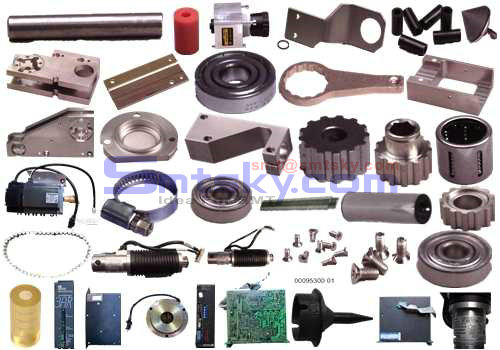
龙健供应:UNIVERSAL AI Part 环球AI配件
- 型号:
- 价格:
- 最小起订量:0
- 供货总量:0
- 产品介绍
| Detail G | ||||
| Bridge Beam Assy | ||||
| 3 | ||||
| Tooling Plate | ||||
| Rotary Table | ||||
| Page 7 | ||||
| Dual Head Board Handling System L/R T46365906 Rev. D | ||||
| This Document Supports Assembly 46365906 Rev. C | ||||
| Email:smt@smtsky.com,Website:www.smtsky.com | ||||
| Page 8 | ||||
| T46365906 Rev. D Dual Head Board Handling System L/R | ||||
| DET | ||||
| NO. | ||||
| ITEM NO. DESCRIPTION QTY U/M | ||||
| 1 26465000 PLUNGER, SPRING 1 EA | ||||
| 2 40516601 BUSHING 1 EA | ||||
| 3 40516701 BRACKET 1 EA | ||||
| 4 45001001 PLATE, BEC MTG. 2 EA | ||||
| 6 46182602 BRKT, AUTO MISS MARKER 1 EA | ||||
| Email:smt@smtsky.com,Website:www.smtsky.com | ||||
| 8 46217104 R. BRIDGE ASSY (L-R) 1 EA | ||||
| 9 46217204 L. BRIDGE ASSY (L-R) 1 EA | ||||
| 14 46248301 BAD BD LIFT ASSY 1 EA | ||||
| 16 46268402 AUTO MISS MARKER ASSY 2 EA | ||||
| 17 46275101 BLOCK, SHAFT SUPPORT 4 EA | ||||
| 18 46275301 SHAFT 2 EA | ||||
| 19 46277602 BAD BD HOPPER ASSY 1 EA | ||||
| 24 46312801 BRACKET, HOPPER MTG 2 EA | ||||
| 25 46366401 PLATE, WASHER 2 EA | ||||
| 26 46388801 WASHER 8 EA | ||||
| Email:smt@smtsky.com,Website:www.smtsky.com | ||||
| 27 46411401 NUT, TEE 1 EA | ||||
| 28 46476102 TRANSFER ASSY 1 EA | ||||
| 29 46477101 BRACKET 1 EA | ||||
| 30 46477201 BRACKET 2 EA | ||||
| 33 80000403 SHCS 8-32 X 1/2 1 EA | ||||
| 34 80000515 SHCS 10-32 X 1/2 10 EA | ||||
| 35 80000516 SHCS 10-32 X 5/8 8 EA | ||||
| 36 80000604 SHCS 1/4-20 X 5/8 6 EA | ||||
| 37 80000607 SHCS 1/4-20 X 1 2 EA | ||||
| 38 80000608 SHCS 1/4-20 X 1 1/4 4 EA | ||||
| Email:smt@smtsky.com,Website:www.smtsky.com | ||||
| 40 80000715 SHCS 5/16-18 X 3 1/4 8 EA | ||||
| 41 80002502 SFHS 8-32 X 1/2 4 EA | ||||
| 43 80011003 SHSS 1/4 X 5/8 1 EA | ||||
| 44 80013802 SPRG PIN .062 X .250 1 EA | ||||
| 45 80013807 SPRG PIN .062 X .562 2 EA | ||||
| This Document Supports Assembly 46365906 Rev. C | ||||
| Page 9 | ||||
| Dual Head Board Handling System L/R T46365906 Rev. D | ||||
| 46 80015003 HEX NUT 5/16-18 8 EA | ||||
| Email:smt@smtsky.com,Website:www.smtsky.com | ||||
| 48 80018704 SLW #8 1 EA | ||||
| 49 80018705 SLW #10 18 EA | ||||
| 50 80018706 SLW 1/4 8 EA | ||||
| 51 80018707 SLW 5/16 16 EA | ||||
| 53 80018805 FW #10 14 EA | ||||
| 54 80018807 FW 1/4 4 EA | ||||
| 55 80018812 FW 3/8 16 EA | ||||
| 56 80023508 HEX NUT-MS 10-32 7 EA | ||||
| 58 BLKM07122 WASHER, SPRING 1 EA | ||||
| USED BUT NOT SHOWN ITEMS | ||||
| Email:smt@smtsky.com,Website:www.smtsky.com | ||||
| 59 46303606 DHVCD BH ELECT.ASSY L TO R 1 EA | ||||
| 60 46366006 L-R DHVCD PNEU ROUTING ASSY 1 EA | ||||
| 61 50546801 DOC, DH BHS MACH 46365905-08 1 EA | ||||
| 62 T46365906 DOC, L/R DHBH SYSTEM 1 EA | ||||
| This Document Supports Assembly 46365906 Rev. C | ||||
| Page 10 | ||||
| T46365906 Rev. D Dual Head Board Handling System L/R | ||||
| Functional Description | ||||
| The Board Handling System receives two boards from an input mechanism. | ||||
| Email:smt@smtsky.com,Website:www.smtsky.com | ||||
| The boards are then lowered and transferred to the positioning system of the | ||||
| insertion machine for population. The populated boards are then raised and | ||||
| transferred to an output mechanism. | ||||
| The Board Handling System can interface with a wide variety of input/output | ||||
| mechanism and can handle a full range of board widths. | ||||
| Maintenance Concept | ||||
| The customer is required to perform periodic maintenance. Included procedures | ||||
| are cleaning, lubricating and checking for correct function. Customer | ||||
| performed adjustments and corrective maintenance procedures are identified | ||||
| in the following table. Adjustment or corrective maintenance procedures not | ||||
| Email:smt@smtsky.com,Website:www.smtsky.com | ||||
| identified in this document and those procedures in the advanced support information | ||||
| paragraphs are to be performed by Universal Instruments field engineering | ||||
| personnel only. | ||||
| Maintenance Procedures | ||||
| Recommended | ||||
| Frequency | ||||
| Minimum Skill | ||||
| Required | ||||
| Spares Kit | ||||
| Required | ||||
| Email:smt@smtsky.com,Website:www.smtsky.com | ||||
| Clean/Lubricate Bridge Slides Quarterly | ||||
| Maintenance | ||||
| Technician | ||||
| No | ||||
| Clean/Adjust Belts Quarterly | ||||
| Maintenance | ||||
| Technician | ||||
| Yes | ||||
| Clean Board Support Inserts Annually | ||||
| Maintenance | ||||
| Email:smt@smtsky.com,Website:www.smtsky.com | ||||
| Technician | ||||
| No | ||||
| Lubricate Idler Pulley Shafts Quarterly | ||||
| Maintenance | ||||
| Technician | ||||
| No | ||||
| Lubricate Board Locator Flanged | ||||
| Bearings | ||||
| Quarterly | ||||
| Maintenance | ||||
| Email:smt@smtsky.com,Website:www.smtsky.com | ||||
| Technician | ||||
| No | ||||
| Lubricate Actuator Contact Surfaces Quarterly | ||||
| Maintenance | ||||
| Technician | ||||
| No | ||||
| Lubricate Board Pusher Quarterly | ||||
| Maintenance | ||||
| Technician | ||||
| No | ||||
| Email:smt@smtsky.com,Website:www.smtsky.com | ||||
| Clean Rodless Cylinder Quarterly | ||||
| Maintenance | ||||
| Technician | ||||
| No | ||||
| Clean/Lubricate Bad Board Lift Slide | ||||
| Shafts | ||||
| Quarterly | ||||
| Maintenance | ||||
| Technician | ||||
| No | ||||
| Email:smt@smtsky.com,Website:www.smtsky.com | ||||
| Lubricate Board Stop Shoulder Screws Quarterly | ||||
| Maintenance | ||||
| Technician | ||||
| No | ||||
| Lubricate Auto Miss-Mark | ||||
| Slide/Housing | ||||
| Quarterly | ||||
| Maintenance | ||||
| Technician | ||||
| No | ||||
| Email:smt@smtsky.com,Website:www.smtsky.com | ||||
| This Document Supports Assembly 46365906 Rev. C | ||||
| Page 11 | ||||
| Dual Head Board Handling System L/R T46365906 Rev. D | ||||
| This Document Supports Assembly 46365906 Rev. C | ||||
| Procedures and Adjustments | ||||
| Adjustments and corrective maintenance procedures required of the customer | ||||
| are presented in the following subsections. | ||||
| Belt Replacement and Adjustment | ||||
| When periodic maintenance indicates that the belts need to be replaced, perform | ||||
| Email:smt@smtsky.com,Website:www.smtsky.com | ||||
| the following procedure for all belt replacement. Refer to the beam assembly | ||||
| illustrations for belt routing. | ||||
| 1. Power the insertion machine down. | ||||
| 2. Loosen the screws that secure the right angle drive motor into the motor | ||||
| block. | ||||
| 3. Raise the right angle drive motor to release the tension on the belt and | ||||
| slide the belt off the drive sprocket. | ||||
| 4. Slide the belt off the convex pulleys, drive pulley and idler pulleys. | ||||
| 5. Install the new belt onto the convex pulleys, drive pulley and idler pulleys | ||||
| as shown. | ||||
| Email:smt@smtsky.com,Website:www.smtsky.com | ||||
| 6. Raise the right angle drive motor and slide the belt onto the drive | ||||
| sprocket. | ||||
| 7. Allow the weight of the right angle drive motor apply tension on the | ||||
| belt. Mark the position of the right angle drive motor relative to the | ||||
| motor block. | ||||
| 8. Lower the right angle drive motor .125 inch from the mark made in | ||||
| step 7 to increase the belt tension and secure it in position by tightening | ||||
| the screw against the motor block. | ||||
| Do not over tighten the drive belts. Excessive tension will put too much | ||||
| pressure on the pulleys and drive mechanism causing premature failure. | ||||
| Email:smt@smtsky.com,Website:www.smtsky.com | ||||
| When properly adjusted, the drive belts will transfer a five pound board | ||||
| without slipping. | ||||
| End of procedure. | ||||
| Page 12 | ||||
| T46365906 Rev. D Dual Head Board Handling System L/R | ||||
| This Document Supports Assembly 46365906 Rev. C | ||||
| Motor Block | ||||
| Right Angle | ||||
| Drive Motor | ||||
| Email:smt@smtsky.com,Website:www.smtsky.com | ||||
| Output Beam Assemblies | ||||
| Input Beam Assemblies | ||||
| Page 13 | ||||
| Dual Head Board Handling System L/R T46365906 Rev. D | ||||
| This Document Supports Assembly 46365906 Rev. C | ||||
| Belt Speed Adjustment Procedure | ||||
| Purpose | ||||
| The board handling distribution board must be adjusted to provide correct | ||||
| belt speed for board transfer. | ||||
| Email:smt@smtsky.com,Website:www.smtsky.com | ||||
| Special Tools | ||||
| VOM (meter) | ||||
| This procedure must be performed with the machine power on. Care | ||||
| must be exercised to prevent personal injury due to contact with | ||||
| exposed electrical circuits. | ||||
| Wear a wrist strap connected to ground to prevent electrostatic | ||||
| discharge from causing damage to PCBs. | ||||
| Procedure: | ||||
| 1. Power on the machine as described in the Operation documentation. | ||||
| 2. Push the INTERLOCK push button. | ||||
| Email:smt@smtsky.com,Website:www.smtsky.com | ||||
| 3. Turn the INTERLOCK BYPASS key switch to the ON position. | ||||
| 4. Slide open the front covers to access the distribution boards. | ||||
| 5. Connect the positive lead of the VOM to TP1 and the negative lead to | ||||
| TP2 on the board handling distribution board being adjusted. | ||||
| 6. Set the VOM for DC volts. | ||||
| 7. While observing the VOM, adjust the potentiometer POT 1 for 36 +/- 1 | ||||
| VDC. | ||||
| Turning the potentiometer clockwise increases the voltage, while | ||||
| turning the potentiometer counterclockwise decreases the voltage. | ||||
| 8. Remove the VOM test leads from the distribution board. | ||||
| Email:smt@smtsky.com,Website:www.smtsky.com | ||||
| End of procedure. | ||||
| Page 14 | ||||
| T46365906 Rev. D Dual Head Board Handling System L/R | ||||
| This Document Supports Assembly 46365906 Rev. C | ||||
| Potentiometer POT 1 Test Point TP 1 Test Point TP 2 | ||||
| DISTRIBUTION BOARD | ||||
| Page 15 | ||||
| Dual Head Board Handling System L/R T46365906 Rev. D | ||||
| Email:smt@smtsky.com,Website:www.smtsky.com | ||||
| This Document Supports Assembly 46365906 Rev. C | ||||
| Sensor Adjustments | ||||
| The board handling system uses sensors to signal various functional activities. | ||||
| These signals are utilized by the software to control the timing of events | ||||
| that occur during the board handling cycle. If a sensor signal is not received | ||||
| or fails to deactivate as determined by the system, the system will go into a | ||||
| transfer error condition and remain stopped until the error condition is corrected. | ||||
| The sensors will not normally require adjustment. If sensor failure should | ||||
| occur, use the following to determine proper sensor operation. The sensors | ||||
| on the bridge assemblies are the most critical and a detailed sensor set up for | ||||
| Email:smt@smtsky.com,Website:www.smtsky.com | ||||
| these sensors is provided. | ||||
| Bridge Slide (1003RS, 1004RS, 1103RS, 1104RS) | ||||
| The sensors on the bridge slide mechanism sense the end of the stroke when | ||||
| the bridges are fully elevated or lowered. When the piston is sensed in either | ||||
| position, the red LED is illuminated. The green LED is a power indicator | ||||
| and should be illuminated regardless of piston position. These sensors ensure | ||||
| that the bridge mechanisms are either fully elevated or lowered before board | ||||
| transfer can occur. | ||||
| Bad Board Lift (1108RS) | ||||
| The sensor on the bad board lift slide mechanism senses when the bad board | ||||
| Email:smt@smtsky.com,Website:www.smtsky.com | ||||
| lift is fully lowered. When the piston is sensed, the green LED is illuminated. | ||||
| These sensor ensures that the bad board lift mechanism is fully lowered | ||||
| before board transfer can occur. | ||||
| Output Pusher (1107HS) | ||||
| The sensor on the output pusher senses the full retraction of the pusher piston. | ||||
| When the piston is sensed, the red LED is illuminated. This sensor ensures | ||||
| that the pusher is fully retracted before board transfer can occur. | ||||
| Transfer Mechanism (1011RS, 1111RS, 1112RS) | ||||
| The sensors on the transfer mechanism senses the fully extended and retracted | ||||
| positions as well as the slow down position. When the piston passes | ||||
| Email:smt@smtsky.com,Website:www.smtsky.com | ||||
| the sensors a yellow LED on the sensors is illuminated. The sensors on either | ||||
| end of the transfer assembly ensure that proper board transfer has occurred. | ||||
| The slow down sensor ensures that the board transfer mechanism | ||||
| smoothly transfers the boards to the output bridge, by slowing the transfer | ||||
| mechanism near the end of its stroke. | ||||
| Page 16 | ||||
| T46365906 Rev. D Dual Head Board Handling System L/R | ||||
| Auto Miss Marker (17PRS, 18PRS) | ||||
| The sensor on the auto miss marker senses the full retraction of the air cylinder | ||||
| Email:smt@smtsky.com,Website:www.smtsky.com | ||||
| piston. When the piston is sensed, the red LED is illuminated. This sensor | ||||
| ensures that the air cylinder is fully retracted before the positioning system | ||||
| movement can occur. | ||||
| Bad Board Hopper (1109LS) | ||||
| The sensor on the bad board hopper is a micro switch that detects when the | ||||
| bad board hopper is full of boards. This sensor should be adjusted to actuate | ||||
| when the level of boards in the hopper is near the top of the hopper. | ||||
| Bridge Sensor Adjustments (1000PS, 1001PS, 1101PS, | ||||
| 1102PS) | ||||
| The sensors on the bridge assemblies sense the board locations during board | ||||
| Email:smt@smtsky.com,Website:www.smtsky.com | ||||
| transfer. The sensor red LED is illuminated when no board is present under | ||||
| the sensor and extinguished when a board is sensed. The green LED illuminates | ||||
| when a board is present under the sensor, indicating a stable signal. | ||||
| The green LED does not illuminate when there is no board present (red LED | ||||
| illuminated). | ||||
| There are two types of adjustment that may be required when different | ||||
| boards are used on the board handling system. The first type of adjustment is | ||||
| for the sensor sensitivity. This may be required if board color or opaqueness | ||||
| changes. The second type of adjustment is for the position of the sensor. | ||||
| This may be required if the board has cut outs or notches. | ||||
| Email:smt@smtsky.com,Website:www.smtsky.com | ||||
| These sensors ensure the boards are in a safe position for board handling | ||||
| functions. | ||||
| Sensitivity Adjustment | ||||
| Remove the board from under the sensor and turn the adjustment potentiometer | ||||
| clockwise to find point A where the red LED extinguishes. If the red | ||||
| LED does not turn off, turn the potentiometer to the maximum clockwise position | ||||
| and take this as position A. | ||||
| With the board in position under the sensor turn the potentiometer counterclockwise | ||||
| and find point B where the green LED extinguishes. | ||||
| Set the potentiometer at a point midway between points A and B. Confirm | ||||
| Email:smt@smtsky.com,Website:www.smtsky.com | ||||
| sensor operation where the red LED illuminates with no board present and | ||||
| the red LED extinguishes and the green LED illuminates with a board | ||||
| present. | ||||
| This Document Supports Assembly 46365906 Rev. C | ||||
| Page 17 | ||||
| Dual Head Board Handling System L/R T46365906 Rev. D | ||||
| This Document Supports Assembly 46365906 Rev. C | ||||
| Position Adjustment | ||||
| Correct positioning of the sensors is very critical. Improperly | ||||
| Email:smt@smtsky.com,Website:www.smtsky.com | ||||
| positioned sensors may cause damage to the board and the Board | ||||
| Handling System. Refer to the operation manual for details relating to | ||||
| specific sensor designations for right to left or left to right transfer | ||||
| directions. | ||||
| The PCB in Gap Outside Left sensor (1001 PS) on the input bridge senses | ||||
| that a board has completely entered the input bridge. If the board fails to | ||||
| fully enter the bridge and the sensor remains activated, the system prevents | ||||
| the bridges from being raised or lowered. The sensor must be set so the | ||||
| green LED is illuminated when any part of the board is not completely on the | ||||
| input bridge. | ||||
| Email:smt@smtsky.com,Website:www.smtsky.com | ||||
| The PCB at Outer Left Belt sensor (1000 PS) on the input bridge senses the | ||||
| first board to enter the input bridge, starting a time delay to drive this board | ||||
| against the inner board stop. The sensor then senses the second board to enter | ||||
| the input bridge and stops the input bridge drive belts. The sensor must | ||||
| be set to sense the second board when it is against the outer board stop. This | ||||
| sensor continually monitors board position and, if a board is not seen, activates | ||||
| the drive mechanism to keep the boards positioned against the input | ||||
| bridge stops. | ||||
| The PCB at Inner Right Belt sensor (1102 PS) on the output bridge senses | ||||
| that the boards have properly entered the bridge when it senses both boards. | ||||
| Email:smt@smtsky.com,Website:www.smtsky.com | ||||
| If the boards fail to fully enter the bridge and the sensor is not activated | ||||
| twice, the system prevents the bridges from being raised or lowered. The | ||||
| sensor must be set so the red LED extinguishes when the board from | ||||
| workboard holder 2 is fully on the output bridge. | ||||
| The PCB in Gap Outside Right sensor (1101 PS) on the output bridge senses | ||||
| that a board has been completely removed from the output bridge before allowing | ||||
| the bridges to be lowered. The sensor must be set so the green LED | ||||
| is illuminated when any part of the board is not completely on the output | ||||
| bridge. The sensor also senses the leading edge of each board during transfer | ||||
| and sets a time delay before the output board pusher is activated. | ||||
| Email:smt@smtsky.com,Website:www.smtsky.com | ||||
| Page 18 | ||||
| T46365906 Rev. D | ||||
| Dual Head Board Handling System L/R | ||||
| 1006 PS1005 PS | ||||
| TRANSFER DIRECTION | ||||
| WORKBOARD | ||||
| HOLDER 1 | ||||
| WORKBOARD | ||||
| HOLDER 2 | ||||
| Email:smt@smtsky.com,Website:www.smtsky.com | ||||
| 1101 PS | ||||
| RIGHT BRIDGELEFT BRIDGE | ||||
| 1001 PS | ||||
| PCBPCB | ||||
| 1111 RS | ||||
| 1103 RS | ||||
| 1104 RS | ||||
| SENSOR | ||||
| OUTPUT | ||||
| DEVICE | ||||
| Email:smt@smtsky.com,Website:www.smtsky.com | ||||
| SENSOR | ||||
| INPUT | ||||
| DEVICE | ||||
| 1102 PS | ||||
| 1107 HS | ||||
| INPUT | ||||
| DEVICE | ||||
| OUTPUT | ||||
| DEVICE | ||||
| 1112 RS | ||||
| Email:smt@smtsky.com,Website:www.smtsky.com | ||||
| BOARD | ||||
| STOP | ||||
| PUSHER | ||||
| TRANSFER ASSEMBLY | ||||
| 1011 RS | ||||
| 1003 RS | ||||
| 1004 RS | ||||
| INNER | ||||
| BOARD | ||||
| STOP | ||||
| Email:smt@smtsky.com,Website:www.smtsky.com | ||||
| OUTER | ||||
| BOARD | ||||
| STOP | ||||
| 1000 PS | ||||
| PCBPCB | ||||
| Board Located at Head Sensor Adjustment (1005PS, | ||||
| 1006PS) | ||||
| The board located at head 1 sensor (1005 PS) on the actuator assembly | ||||
| senses when the tooling pins are properly engaged in the board locating | ||||
| holes. If the tooling pins fail to properly engage the locating holes and the | ||||
| Email:smt@smtsky.com,Website:www.smtsky.com | ||||
| sensor remains activated, the system prevents the bridges from being raised | ||||
| or the insertion process to start and causes a TRANSFER ERROR. Improper | ||||
| location of the tooling pins is when the pins are hitting the board or no board | ||||
| is present and the pins rotate beyond the correct position. The sensor must be | ||||
| set so the red LED is illuminated when the tooling pins are engaged in the locating | ||||
| holes in the board. | ||||
| The board located at head 2 sensor (1006 PS) on the actuator assembly | ||||
| senses when the tooling pins are properly engaged in the board locating | ||||
| holes. If the tooling pins fail to properly engage the locating holes and the | ||||
| sensor remains activated, the system prevents the bridges from being raised | ||||
| Email:smt@smtsky.com,Website:www.smtsky.com | ||||
| or the insertion process to start and causes a TRANSFER ERROR. Improper | ||||
| location of the tooling pins is when the pins are hitting the board or no board | ||||
| is present and the pins rotate beyond the correct position. The sensor must be | ||||
| set so the red LED is illuminated when the tooling pins are engaged in the locating | ||||
| holes in the board. | ||||
| The tooling pin sensors require adjustment when the board thickness changes | ||||
| or the size of the locating holes changes. If either of the conditions accur, adjust | ||||
| the tooling pin sensors as follows. | ||||
| 1 | ||||
| Insert the production board in the workboard holder and ensure that the | ||||
| Email:smt@smtsky.com,Website:www.smtsky.com | ||||
| tooling pins properly engage the locating holes. | ||||
| 2 | ||||
| Raise the sensors by turning the height adjusting screw clockwise until | ||||
| the red LED extinguishes. | ||||
| This Document Supports Assembly 46365906 Rev. C | ||||
| Page 19 | ||||
| Dual Head Board Handling System L/R T46365906 Rev. D | ||||
| This Document Supports Assembly 46365906 Rev. C | ||||
| 3. While counting the number of counterclockwise rotations, lower the | ||||
| Email:smt@smtsky.com,Website:www.smtsky.com | ||||
| height adjusting screw beyond the actuator until the red LED extinguishes | ||||
| again. | ||||
| 4. Raise the sensor by rotating the height adjusting screw clockwise one | ||||
| half the rotations counted in step 3. | ||||
| 5. Adjust the sensitivity of the sensors by turning the pot on the sensors | ||||
| counterclockwise until the red LED extinguishes, then turning the pot | ||||
| clockwise until the red LED just illuminates. | ||||
| 6. Verify the settings by improperly engaging the tooling pins as detailed | ||||
| previously. In both cases the red LED should remain extinguished. | ||||
| Properly engage the tooling pins to ensure that the red LED on the sensors | ||||
| Email:smt@smtsky.com,Website:www.smtsky.com | ||||
| illuminate. | ||||
| Pneumatic Settings | ||||
| The pneumatic controls and regulators on the board handling system are set | ||||
| at the factory for optimum function of the system and should not require any | ||||
| adjustment. If the controls and/or regulators have to be replaced or adjusted | ||||
| for any reason, refer to the following adjustment procedures. | ||||
| Assumption: Board handler sensor adjustments have been performed. Refer | ||||
| to the Sensor Adjustments topic in this module. | ||||
| Perform the following board handler setup procedures using IM Diagnostics. | ||||
| . Adjust Bridge Up/Down Timing | ||||
| Email:smt@smtsky.com,Website:www.smtsky.com | ||||
| . Adjust Transfer Extend Slow Timing | ||||
| . Adjust Transfer Extend Fast Timing | ||||
| . Operate BHS and Measure Total Time | ||||
| Setting the flow controls to an excessively high rate can cause damage | ||||
| to the board handling system and the boards being processed. | ||||
| Adjust Bridge Up/Down Timing | ||||
| There are 4 bridge timing adjustments. | ||||
| . Bridge up left | ||||
| . Bridge down left | ||||
| . Bridge up right | ||||
| Email:smt@smtsky.com,Website:www.smtsky.com | ||||